LIGHT. MATH. YOUR NEXT BUILD.
Animated gradient backgrounds for websites
A gradient background can be a quiet field of color or a more physical surface of light, fabric and reflection. These six Striktly selections cover that range. Open a preview to test its motion and cursor response, then adjust the palette before downloading your configuration.
STATIC PREVIEWS / OPEN A SHADER TO TRY IT LIVE

Light / prismatic sheet
Prism
A broad sheet of light for a restrained hero. Start here when the headline should carry the page.
Settings and integration reference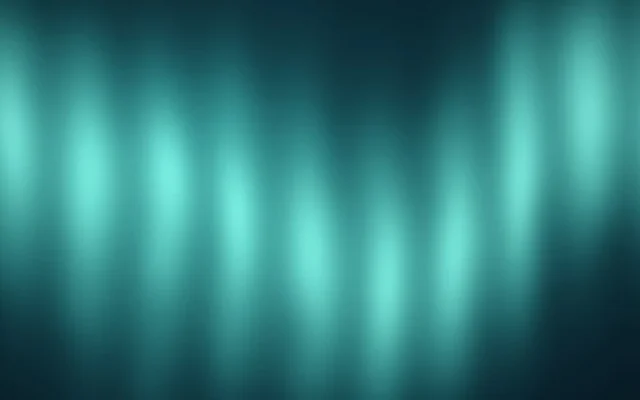
Light / atmosphere
Aurora
Curtains of light add a stronger vertical rhythm. Leave quiet space around the main message.
Settings and integration reference
Fluid / fabric
Silk
Satin-like folds give a gradient a material quality. Try a slower speed behind a short introduction.
Settings and integration reference
Organic / iridescent film
Oilskin
Thin-film color gives dark palettes a reflective edge. Useful when a plain gradient feels too smooth.
Settings and integration reference
Organic / refracted streams
Liquid Laminar
Layered flowing bands give the color field a clear direction. Compare it with Prism before choosing a busier surface.
Settings and integration reference
Atmosphere / diffused light veils
Velour
Diffused veils of light create a softer atmospheric finish. Keep contrast and grain restrained behind smaller type.
Settings and integration referenceChoose the amount of movement
Use Prism for a broad, subtle light sheet. Choose Aurora when vertical curtains are part of the composition. Silk brings a fabric-like surface; Velour diffuses color into light veils; Oilskin adds reflective color; Liquid Laminar gives the flow a more deliberate direction. They are different starting points, not six skins for the same effect.
For a text-heavy hero, begin with a slower speed and a low cursor strength. Compare several animation frames against your smallest text, not only the largest headline. Keep one visual focal point instead of running a second animated section beside the hero.
CSS gradient, video or live shader?
Use a CSS gradient when you only need static color. A recorded video can reproduce a fixed animation. A live WebGL shader is useful when visitors should be able to influence the surface or when you want to configure colors and movement without recording a new clip. A live shader also needs a rendering budget, motion controls and a fallback.
The previews on this page are static images. They do not allocate a renderer or start video playback. Open an individual shader to try its live behavior; the editor shows the current presets and supported controls.
Add a gradient to your project
Follow the React hero tutorial for a complete Prism implementation, or use the JavaScript guide for a regular website. The Prism landing-page starter includes a reusable layout with a recorded preview; add your own downloaded kit for real interaction.
Browsing and live previews are public. Sign in to a verified account for exports and saves. Complete membership access is free during the current launch offer; check current membership options before downloading. Keep the kit's license and any applicable notices with your project.
Keep the atmosphere comfortable
Start with one canvas and measure on your target phones. Pause offscreen and hidden content, respect reduced motion and give visitors a pause control. A restrained pixel budget is a starting point, not a frame-rate guarantee. See performance and accessibility.
Looking for a different texture? Explore particle backgrounds or liquid metal backgrounds, or return to the full shader library.