LIGHT. MATH. YOUR NEXT BUILD.
Liquid metal backgrounds for websites
A metallic background works through reflections, dark pools and moving highlights. These four curated Striktly surfaces range from polished chrome to rounded mercury and iridescent film. Compare them in the editor before deciding how much of the page should feel reflective.
STATIC PREVIEWS / OPEN A SHADER TO TRY IT LIVE
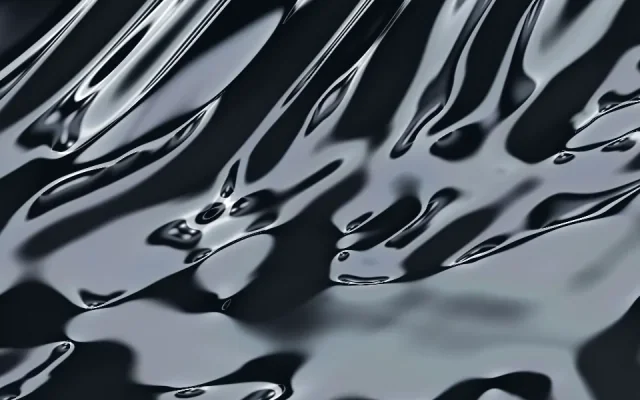
Metal / flowing chrome
Liquid Chrome
Broad studio-like reflections flow through a chrome sheet. Start here for a polished metallic hero.
Settings and integration reference
Metal / reflection
Chrome
Cursor pressure bends a more compact reflective surface. Compare its highlights with the slower Liquid Chrome treatment.
Settings and integration reference
Organic / liquid metal
Mercury
Rounded folds and a weighty response make the surface feel soft and substantial.
Settings and integration reference
Organic / iridescent film
Oilskin
An iridescent film shifts the material away from neutral silver. This is a colored liquid finish, not literal chrome.
Settings and integration referenceChoose a material character
Start with Liquid Chrome for broad flowing reflections. Chrome offers a different, more compact reflective treatment. Mercury has rounded folds and a weightier surface response. Oilskin brings thin-film color into the reflections; it belongs here as an iridescent alternative, not as a neutral silver metal.
For a portfolio, keep the strongest reflections in the introduction so project thumbnails remain the focus below it. In a product page, a contained feature panel may be more useful than a full-screen metal surface. Test text against bright and dark frames before settling on a foreground color.
Shape the reflection, then the palette
Open each live example and compare its default motion. Adjust the supported scale, light, cursor and camera settings deliberately. A palette change alone will not make two different surfaces behave alike. Each shader reference describes the actual controls and presets for that effect.
This collection uses static preview images. It does not run several reflective scenes at once; open a shader to see its real movement and customize it.
Build a reflective hero or portfolio
The Liquid Chrome portfolio starter pairs a metallic introduction with a stable project grid. Its public example uses a recording. Add your downloaded Liquid Chrome kit to enable the real interactive shader in your own project.
Use the React tutorial to learn the component and lifecycle pattern, then preserve the stage styles and configuration from the metallic shader's own kit. The JavaScript guide covers mounting without React. A shader kit does not need Striktly account or billing code in the project.
Control cost and movement
A full-screen reflective surface is a different workload from a small card. Begin with a moderate pixel budget and one active canvas, then measure your completed page. Pause hidden and offscreen content, respect reduced motion, and offer a static fallback and a visible pause control. Read performance and accessibility before shipping.
Browse and try previews without signing in. Exports and saves use a verified account; complete access is free during the current launch offer. See membership options for the current terms.
Prefer light without reflections? Explore animated gradient backgrounds. For separate points and trails, browse particle backgrounds.