LIGHT. MATH. YOUR NEXT BUILD.
Cubism
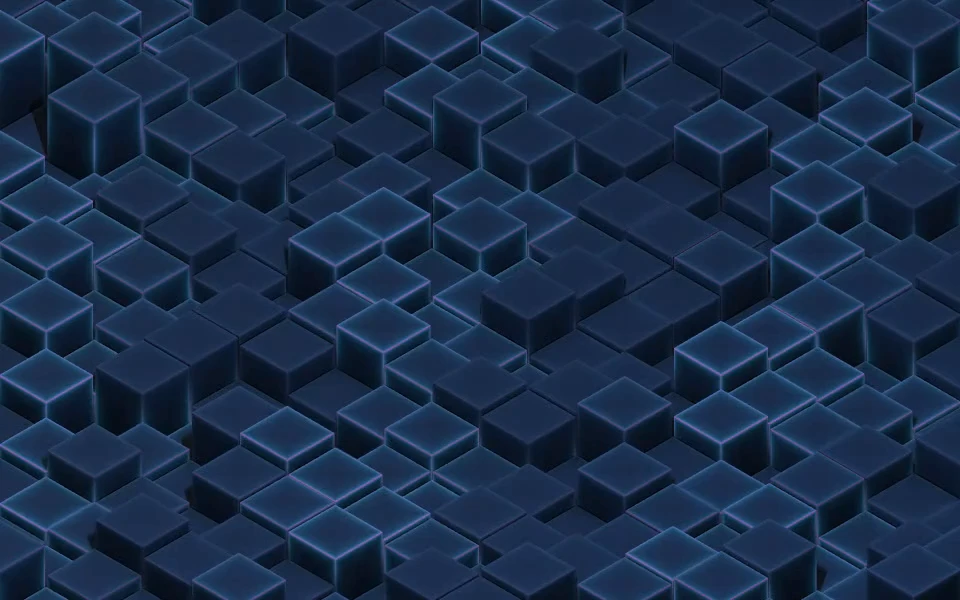
An isometric landscape of solid cubes rises and falls in slow, staggered motion. Hover lifts nearby blocks while soft studio lighting and traveling edge highlights reveal the changing relief.
Category: 3D / isometric blocks.
Open Cubism in the live editor to customize its palette, motion, and supported camera controls. Use Take the code to download the configured kit after signing in. Complete membership access is free during the current launch offer.
Presets
- Cyberpunk:
#080f1c,#00dfff,#ff3cac - Synthwave:
#160c26,#b136ff,#ff6ca8 - Vaporwave:
#17162b,#b28bf2,#65f0d5
Shader and camera controls
- Light creep speed (
speed): 0 to 1. Default:0.22. - Block size (
scale): 0.5 to 2. Default:1. - Block height (
height): 0.1 to 3. Default:1.25. - Height variation (
variation): 0 to 1. Default:0.9. - Rise and fall (
heightMotion): 0 to 1.5. Default:0.45. - Rise and fall speed (
riseSpeed): 0 to 0.6. Default:0.16. - Hover lift (
hoverLift): 0 to 3. Default:0.9. - Hover lift radius (
hoverRadius): 0.5 to 3. Default:1.35. - Edge light (
shaderGlow): 0 to 2.5. Default:1.1. - Light spill (
lightWidth): 0.03 to 0.3. Default:0.12. - Studio lighting (
studioLighting): 0 to 2. Default:1. - Surface roughness (
roughness): 0.2 to 1. Default:0.62. - Studio fill (
fillLight): 0 to 1. Default:0.45. - Film grain (
grain): 0 to 0.08. Default:0.018. - Hover light (
interaction): 0 to 2. Default:0.8. - Integrated photo (
photoMode): 0 to 2. Default:1. - Photo strength (
photoStrength): 0 to 1. Default:0.8. - Photo scale (
photoScale): 0.05 to 0.5. Default:0.17. - Grain (
noise): 0 to 0.3. Default:0. - Glow (
glow): 0 to 1.5. Default:0. - Glow radius (
glowRadius): 2 to 40. Default:14. - Blur (
blur): 0 to 24. Default:0. - Fade in · ms (
fadeIn): 0 to 10000. Default:0. - Fade delay · ms (
fadeDelay): 0 to 5000. Default:0. - Image opacity (
overlayOpacity): 0 to 1. Default:0.5. - Camera rotation (
cameraRotation): -180 to 180. Default:-45. - Camera zoom (
cameraZoom): 0.4 to 3. Default:1. - Horizontal focus (
cameraX): -8 to 8. Default:0. - Vertical focus (
cameraY): -8 to 8. Default:0.
These ranges describe the published catalog version 673cf2d74fc64dea7d870e50092c7dc188feee0109b7334cc5e710d8d5ddebea. The website editor can curate or lock particular controls. The live editor and the current MCP settings schema are authoritative for available actions. Existing saved configurations remain supported.
Integration example
Download this shader's kit before running the example. The runtime is a local file from that kit, not a public CDN or npm package.
import { createBackground } from './shader-background.js';

const background = createBackground(
  document.querySelector('#background'),
  {
    "effect": "ember-relief",
    "colors": [
      "#080f1c",
      "#00dfff",
      "#ff3cac"
    ],
    "speed": 0.22,
    "scale": 1,
    "height": 1.25,
    "maxPixels": 700000,
    "maxFPS": 30
  }
);

// On view teardown:
// background.destroy();
Give the host an explicit size, preserve applicable stage CSS from the exported example, and keep content above the decorative canvas. JavaScript, React, and Next.js guides explain integration.
Motion, assets, and licensing
Test the finished page on your target devices, respect reduced motion, and use a pause control for persistent animation. Keep the license and notices included in your kit. Uploaded imagery needs its own usage rights. See performance and licensing.